"Google Rumors" From  There are a lot of theories and rumors floating around. Most of them involve some sort of "filter" or penalty being applied to certain types of sites. Filtering out extreme spam is nothing new for Google. Among other things, they've been trying to catch hidden text for several months. I just don't see how a filter, or any combination of filters and penalties, could explain the current search results.
Rumor 1: Google Is Using A Dictionary - There are far too many search terms affected, for it to be as simple as a "dictionary" of commercial search terms. Google might have a list of topics, for which they have computed a topic-sensitive PageRank score, but they aren't trying to penalize anyone, they're trying to deliver better search results.
Rumor 2: Google wants to force commercial sites to use Adwords - The fact that there are two conflicting and equally implausible conspiracy theories should tell you all you need to know. In reality, Google has deliberately kept the "paid advertising" and "free search results" separate, and there's no reason why they would do something like this. Google doesn't need to "force" anyone to buy advertising.
Rumor 3: Google is using "Bayesian Spam Filters" - There is no conceivable way Google could implement a "Bayesian" filter to recognize "search engine spam," and I can't believe that hundreds of very intelligent engineers would attempt to do so.
Google isn't trying to "penalize" or "filter out" anything. The people at Google are trying to build a system that identifies the most relevant web pages. Where they use filtering, it's to avoid being tricked by hidden text and that sort of thing. Bayesian filtering is very different.
Rumor 4: Google is punishing reciprocal links - The theory here is that Google is punishing web sites that trade links with other web sites. Maybe, if that's all you do, but that's probably been the case for some time.
Rumor 5: Google is punishing "optimized" pages - The rumor here is that Google is trying to drop "optimized" pages. Not only does this not hold up under close scrutiny, it doesn't make any sense to begin with. Another way to describe an "optimized" web page would be "a well structured page that clearly indicates the relevant topics."
Does Google penalize dirty tricks like hidden text, over-stuffing HTML tags, etc.? Of course they do, but that's not optimizing, folks, that's spamming. Penalties for spamming are nothing new.
Rumor 6: Google is punishing "link text" - Nope, not true. If it were possible to create a penalty for another site by linking to them with the wrong words, you'd have complete chaos in a very short time.
Rumor 7: Google Is Out To Get You, And It's Personal - I haven't done a whole lot of detailed research to substantiate my beliefs on this, but trust me, it's not personal. The search engines are all trying to deliver quality search results, and maybe you aren't giving them what they're looking for. That doesn't mean you don't have a good web site. It doesn't make you a bad person. Maybe you just need to do some things differently.
For the entire article, go here!
SpyderTrax - Track SE Spiders & Robots From
www.DarrinWard.com/
 Have you wondered ... "Is there was a way to track which search engine spiders & robots visit my site?" ... "How often do they visit?" Here is an easy way to find out. Have you wondered ... "Is there was a way to track which search engine spiders & robots visit my site?" ... "How often do they visit?" Here is an easy way to find out.
SpyderTrax will allow you to track some of the major search engines (incl. Google, Altavista, AllTheWeb, Inktomi etc.), without too much difficulty. If you go here, you will see the stats
page for my site. I installed it a few weeks ago and it took about 10 minutes.
I will install this script for your site, but you have to ASK!
January
Search Engine News From
www.searchengine-news.com Google - The changes made by Google are widespread and sweeping – their most significant dance in their short but illustrious waltz. When viewed in its entirety, we see massive shifts in ranking for most every search term and we suspect this is the beginning of a major shift in the way their search engine works.
1. Word Stemming - This represents a major shift in their algorithm. Stemming refers to a search engine's functionality to include the stem of words. For example, if one does a search for "donation", results will also show for "donate". In general, there are more results and more competition for high rankings.
2. Singular and Plural - Google is now matching both singular and plural forms of words in their search results. Once again, there are more results and more competition for high rankings.
3. Semantics - We believe Google is making an attempt to serve much broader results specifically for topic areas that it has identified (note this also means money terms) in order to increase some users' satisfaction with the results. For example, in the past if you were looking for "Laptop Computers" you would primarily get commercial results. Now, however, the results are more varied covering categories that include commercial, educational and information related sites.
The changes listed above, once understood, make optimizing sites for Google manageable – yes, challenging, but manageable when combined with building good solid pages and sites that are both diverse and rich in content.
Overture - No recent major changes at Overture
Inktomi - No changes this month.
AltaVista - AltaVista and Alltheweb.com (FAST) – both are owned by Overture – merged their image search to use the same system on December 5th.
Fast - No recent changes for FAST
Lycos - has launched a feature called Sidesearch that displays the listed page in a right hand frame while keeping a mini-version of the search results on the left. The idea is to keep visitors on the Lycos site – to make their site more "sticky" – as visitors click to view the pages. It also produces even more impressions for their Overture generated ads.
MSN - MSN Search Engine in 2004? - Rumors are flying around the street regarding Microsoft launching their new search engine sometime in 2004. The majority of the whispers indicate a mid-summer launch.
ODP - No recent changes at DMOZ / ODP
LookSmart - has lost two more distribution partners – Sprinks and Inktomi.
Yahoo - Inktomi Powered "Yahoo Search" is still testing due to the reports we're getting from users who are seeing Inktomi results in Yahoo searches recently.
"Top Ten Web Design Mistakes of 2003!" From  Sites are getting better at using minimalist design, maintaining archives, and offering comprehensive services. However, these advances entail their own usability problems, as several prominent mistakes from 2003 show.
1. Unclear Statement of Purpose - Many companies, particularly in the high tech industry, use vague or generic language to describe their purpose. Obscuring this basic fact makes it much harder for users to interpret a website's information and services.
2. New URLs for Archived Content - Archives add substantial value to a site with very little extra effort. Although more and more sites are archiving old content, most sites still fail to maintain good archives. Some sites treat archives as a separate site area, assigning pages new URLs when they move them from the main area into the archive.
3. Undated Content - Without dates on articles, press releases, and other content, users have no idea whether the information is current or obsolete. It's great to keep content in archives. The Alertbox, for example, gets 80% of its readership for old columns, which readers continue to find useful. But some facts and recommendations are strongly date-dependent, such as when I recommend using a certain version of a software package for another two years. Obviously, I mean two years from the day the article was written; if readers can't see the date, they won't know how to follow the recommendation.
4. Small Thumbnail Images of Big, Detailed Photos - It's great that websites are now using smaller pictures. Avoiding the bloated designs of the past decreases download time and increases information richness. It's also good when sites link small pictures to bigger pictures, so users have the option of seeing the image in more detail.
5. Overly detailed ALT Text - Many sites have begun paying attention to users with disabilities and are following accessibility guidelines, such as including ALT texts for images.
Unfortunately, some sites don't realize that ALT text is a user interface element, not a statement of political correctness. ALT text should help blind users (and others who can't see images) navigate and operate the site. The text should describe the image's meaning for the interaction and what users need to know about the image to use the site most effectively. There is no need to describe irrelevant visual details.
6. No "What-If" Support - Comparing and choosing between alternatives is the basis for most critical Web tasks, yet most websites don't support users who want to consider alternatives. Some websites do let users pick out a few products and view a comparison table, but such tables typically have low usability and don't highlight the most important differences between products.
7. Long Lists that Can't Be Winnowed by Attributes - It used to be that Web sites offered one or two things. Now it's common to find sites with thousands or millions of items. Wonderful, but that means that item listings are often very long and hard to use.
8. Products Sorted Only by Brand - Sites that offer many items ought to provide winnowing and sorting, which is a highly useful way to deal with lists and is fortunately fairly common. Unfortunately, many sites only let users sort items by brand.
9. Overly Restrictive Form Entry - Put the burden on the computer, not the human: let users enter data in the format they prefer. A typical example is when forms ask users for their first and last names as two items, rather than simply letting users enter their full name in a single field, which is much faster to type. Many sites, for example, force users to enter credit card numbers as 1234567890123456, rather than letting them put spaces between groups of four digits, which significantly reduces the risk of errors.
10. Pages That Link to Themselves - This point was discussed in detail as item #10 on my list of ten most violated homepage guidelines, but it's important for all pages, not just homepages.
Web Usability: Two Steps Forward, One Step Back - Many of this year's top design mistakes actually indicate a happy phenomenon: we are making progress in Web usability. Now that sites are doing certain things correctly, we get hit by second-order phenomena that only cause problems because users have progressed past the first-order issues.
"6 "Life Or Death" Factors For Any Website!" From
Not a week goes by that half a dozen people don't ask me what separates a great, money-making website from a bad one. In response, I surveyed a number of different websites, large and small, to find what they share in common to make them so successful. With few exceptions, every extraordinarily great website contained the following elements:
1. Testimonials - Every great website has testimonials from satisfied customers. These testimonials help set the potential customer's mind at ease that the products or services sold online will perform as promised.
Truly great testimonials not only endorse the product, but clearly state how the product increased sales, saved money, or benefited previous buyers in very specific and tangible ways. Testimonials should present real benefits others can readily identify with, understand and, more importantly, want those same results for themselves!
2. Headlines - Headlines capture visitors' attention and get them involved in the website. How do you read the newspaper? If you read like most people the headlines first catch your attention and determine whether you'll actually read a story. Similarly headlines on a website determine whether visitors get involved in the information or surf away never to return.
My own experience has shown that the proper headlines can easily and quickly double, triple, or even quadruple a website's sales almost overnight.
3. Bullets - Bullets communicate various and subtle bits of information about a product or service without making readers plow through paragraphs of information to get to the meat of a website's offering. Bullets arouse interest, build excitement, and convey a lot of information very quickly to time-starved web surfers.
4. Bonuses - Every great website offers bonuses to people who buy, apply or fill out a form. Nothing induces someone to do business with you online like offering them something extra for taking the action you want. Offering a bonus report, tape, extended membership, extra quantities of product at a deep discount, coupons, or just about anything makes people more willing to go ahead with the purchase decision.
5. Guarantees - Everyone takes a risk whenever they buy anything from anyone. The risk centers on whether or not the product or service will perform as promised. In a retail store most people feel pretty confident the store will still exist if they need to make a return or exchange in a few days. On the web, however, that risk in making a purchase seems much higher than in the "offline" world.
Every great website makes a point of specifically telling customers about their return policy and truly exceptional sites offer 100%, no-questions-asked, money-back guarantees. People rarely take advantage of such guarantees and I have personally seen a website's sales increase by 45% just by extending the guarantee period an additional 30 days.
6. Phone numbers - Every great website has a phone number with a real live human being on the other end who can answer questions and provide product support.
So there you have it! With few exceptions this represents the formula for creating or identifying a truly great website.
"How To Optimize Your Google Description" From
When it comes to describing your site, Google assembles what is known as a snippet description to display in their search results. Sometimes it's a good description - one that prompts potential visitors to click on your link. Other times, it isn't. Take the case in point where the following page (ranked at #1) in a keyword search for scuba dive "entices" the potential site visitor by listing the various PADI locations from around the world...
Can the snippet be changed to entice users to click on your listing? - Of course, this is important because potential site visitors are judging whether to click or not based in part on those snippets. So, how can one go about changing Google's snippet advantageously? Let's take a look and see.
For starters, we've found that Google actually pulls the snippet description from several different places on your Web page. Let's think about this for a minute. If we could determine where Google is pulling our description, perhaps we might be able to change that wording to "produce" a description that more accurately describes our page.
Where is Google pulling the snippet description? - Currently Google is pulling the snippet from any one or combination of the following areas:
1. META description tag (although Google doesn't use contents to determine relevancy).
2. First ALT text found on the page.
3. First text found on the page (which may be a heading tag, body text, etc.).
4. Additional heading tags on the page.
5. Additional body text found on the page.
6. Additional ALT text on the page.
7. Navigation bar on the left-hand side of the page (which is rarely a relevant description of a site!).
8. Copyright information at the bottom of the page.
9. Wherever the keyword phrase is found.
Important Note... - One thing that's very important to note is that the snippet is determined by the search term. In other words, if you search for your company's name, you'll get a different description than what you would get if you search for a keyword phrase that is relevant for your site. Generally, Google appears to be pulling the description from areas of the page that surround the usage of that particular keyword phrase. The obvious question is, Is it the first usage of the keyword phrase? Usually, but not always.
And the moral of the story is... Visit Google and search for your most important keyword phrase for each of your Web pages. What does the description look like? Do you like it? Determine from where on your page Google is pulling the description. You'll probably notice that, in most (but not all) cases, Google pulls the first text surrounding the usage of the keyword phrase, wherever that text may appear on the page.
If you don't like the description, try modifying the area where Google is pulling the description, and see if Google will pick up the changes and use the new description as the snippet in the search results.
Why? ...because your description plays a crucial click factor! - Remember that the description of a page is crucial when it comes to increasing click throughs to your site. If your description is compelling and designed to produce clicks, you may even get more traffic than a competitor who is ranked higher.
To a greater degree than most are aware, you can manage some control over your Google descriptions. This is clearly a case where a little research and some easy tinkering can make a big difference in how your site is presented to potential customers, thereby increasing your click-through traffic coming from Google.
For the full article, go
HERE!
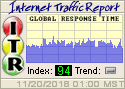 The Internet Traffic Report monitors the flow of data around the world. It then displays a value between zero and 100. Higher values indicate faster and more reliable connections.
Your Internet surfing safari may be smooth today, but perhaps you can't reach Yahoo or a few web sites in Europe. This web site will tell you if those regions of the Internet are currently slowed down. By checking the Internet Traffic Report, you can determine if your problems are global or local. The Internet Traffic Report monitors the flow of data around the world. It then displays a value between zero and 100. Higher values indicate faster and more reliable connections.
Your Internet surfing safari may be smooth today, but perhaps you can't reach Yahoo or a few web sites in Europe. This web site will tell you if those regions of the Internet are currently slowed down. By checking the Internet Traffic Report, you can determine if your problems are global or local.
"Top 10 Google Myths Revealed" From  Google is the Web's most popular search engine, powering not only the popular Google.com Website, but also Yahoo! and AOL. Being listed in Google is very important, and being listed highly in Google can bring great benefit to your site.
However, there are many myths about how Google works and, while fairly harmless in themselves, these myths tend to allow people to draw incorrect conclusions about how Google works. The purpose of this article is to correct the most popular Google myths.
Google is the Web's most popular search engine, powering not only the popular Google.com Website, but also Yahoo! and AOL. Being listed in Google is very important, and being listed highly in Google can bring great benefit to your site.
However, there are many myths about how Google works and, while fairly harmless in themselves, these myths tend to allow people to draw incorrect conclusions about how Google works. The purpose of this article is to correct the most popular Google myths.
Myth #1: The Higher Your Google PageRank (PR), the Higher You'll be in the Search Results Listing.
This myth is frequent, and is the source of many complaints. People often notice that a site with a lower PageRank than theirs is listed above them, and get upset. While pages with a higher PageRank do tend to rank better, it is perfectly normal for a site to appear higher in the results listings even though it has a lower PageRank than competing pages.
Myth #2: The Google Toolbar will List Your Actual PageRank - When Google created their toolbar it was a boon for many Webmasters as this was the first time we got to see any value related to our PageRank. However, the toolbar has also caused some confusion.
The toolbar does not show your actual PageRank, only an approximation of it.
Myth #3: PageRank is a Value Based on the Number of Incoming Links to Your Site - This myth is a frequent source of incorrect assumptions about Google. People will often see that a site with fewer incoming links than their own site has a higher PageRank, and assume that PageRank is not based on incoming links.
The fact is that PageRank is based on incoming links, but not just on the number of them. Instead PageRank is based on the value of your incoming links.
Myth #4: Searching for Incoming Links on Google Using "link:" will Show you all Your Backwards Links - Similar to Myth #3, people will sometimes look for backwards links to a site on Google and fine none, but if the site does have a PR listed and it is in Google's cache, they know that the toolbar isn't just guessing.
The reason for this is that Google does not list all the links that it knows about, only those that contribute above a certain amount of PageRank.
Myth #5: Being Listed in the Open Directory Project Gives you a Special PageRank Bonus - Google uses Open Directory Project (DMOZ.org), to power its directory. Coupling that fact with the observation that sites listed in DMOZ often get decent and inexplicable PageRank boosts, has lead many to conclude that Google gives a special bonus to sites listed in DMOZ. This is simply not true.
Myth #6: Being Listed in Yahoo! Gives you a Special PageRank Bonus - This myth evolved much in the same was as Myth #5. Google has been partnered with Yahoo! for a number of years by providing secondary search results, and just recently (Fall, 2002), Yahoo! started using Google to provide primary search results.
Because Yahoo! uses Google, many have assumed that Google also uses Yahoo!, which is not the case. The only PageRank you will gain from being listed in Yahoo! is the same as the PR you'd gain from any other site of equivalent weight.
Myth #7: Google Uses Meta Tags to Rank Your Site - This myth is left over from the days when most search engines used meta tags. However, Google has never used them. This fact may be contested by some people, so I wouldn't post it without proof.
Myth #8: Google Will Not Index Dynamic Pages - Some search engines have, in the past, had problems with dynamic pages, that is, pages that use a query string. This was not due to any technical limitation, but rather, because search engines knew that it was possible to create a set of an infinite amount of dynamic pages, or they could create an endless loop. In either case, the search engines did not want their crawlers to be caught spidering endless numbers of dynamically generated pages.
Google is a newer search engine, and has never had a problem with query strings. However, some dynamic pages can still throw Google for a loop.
Myth #9: Google Will Not List Your Site, or Penalize it, if you use Popups - This is a relatively minor myth but it still pops up (pun intended) every once in a while. Google has an advertising program called Adwords, and one of their policies is that they do not allow sites that use popup windows to participate in this program.
Myth #10: Google will Penalize you if You're Linked to by a Link Farm - Google has policies against the use of artificial means to increase your PageRank, which specifically include things like joining a link farm.
Even so, Google can punish you if you link to a linkfarm from your site, or otherwise put hidden links in your pages. So the simple truth is that you can be punished for what you do to your own site, but not for getting linked by another site.
For the full article, go
HERE!
"Shari's 5 Basic Rules of Web Design" From
Here are Shari's 5 Basic Rules of Web Design:
1. Your Web site should be easy to read
2. Your Web site should be easy to navigate
3. Your Web site should be easy to find
4. Your Web page layout and design should be consistent throughout the site
5. Your Web site should be quick to download.
For the entire article, go here!
336-408-9075
Rich@RichsWebDesign.com
|