Link Tracking Tools: from Submit Corner
As you are well aware of, the more sites that link to yours, the better you will rank in the various search engines;
"Link Popularity" is the official technical term. I have found another tool from Submit Corner
that can show you your link popularity for Altavista, FAST, Google, Hotbot, Infoseek, Lycos and MSN.
What is link popularity? Links are the buttons and underlined text on Web pages that take
you to other pages when you click them. Your Web site's link popularity is a number of Web pages that
contain links to your site.
Why is it important? Because good link popularity can dramatically increase traffic to
your web site. Well placed links are an excellent source of consistent and targeted traffic. And due
to recent developments, they can even generate additional search engine traffic to your site. Knowing
who links to your site, and increasing the number of links, is an important part of any web site
promotion effort.
"Because many search engines rank based on popularity of your site (based on volume of people who link
to you), this factor is quite important to webmasters and site owners to determine their level of success.
Easily track how many websites and which ones are linking to yours
according to these search engines. This tool will directly branch a new window and report to
you who's linking in the search engine of your choice from the options below."
Design REALLY Matters! from Sean Carton
 When it comes to design, most folks have one of three common attitudes. The first is, "Yes, design is vital to accurately communicate our brand." They pony up the bucks and pay professional designers for their talent and ideas.
Others say, "Heck, it's technology that matters. We'll have our in-house designers put a pretty face on it." They create development budgets to match their priorities.
The third contingent is convinced information is more important than looks. "What matters is what we say. We don't want all that graphic stuff to get in the way of our copy." They go with a spare, Jakob Nielsen-like approach that emphasizes text with a Wall Street Journal-like look.
When it comes to design, most folks have one of three common attitudes. The first is, "Yes, design is vital to accurately communicate our brand." They pony up the bucks and pay professional designers for their talent and ideas.
Others say, "Heck, it's technology that matters. We'll have our in-house designers put a pretty face on it." They create development budgets to match their priorities.
The third contingent is convinced information is more important than looks. "What matters is what we say. We don't want all that graphic stuff to get in the way of our copy." They go with a spare, Jakob Nielsen-like approach that emphasizes text with a Wall Street Journal-like look.
They're all wrong.
OK. That's kind of harsh. They're not totally wrong. Each approach does have its merits. Brand representation is vitally important. Technology, and how it works, is vital, too. And the copy... well, if your site serves up information, people must be able to read it for it to have any value.
If you look at what really makes the difference for consumers online, you'll learn credibility is what matters. The Net has a big credibility and trust problem. According to Consumer Internet Barometer, consumers' trust in the Internet has been decreasing. It was never too hot in the first place. Over the past year, the trust measurement never topped 30 percent of users. Surprisingly, there's a big gap between trust and satisfaction. Measures for the latter have hovered steadily around 40 percent.
Where does design enter the trust equation? A study from Consumer Web Watch, an organization created by Consumers Union (publishers of Consumer Reports) to advance the cause of credibility on the Web, sheds interesting light on the issue.
Over 2,600 people participated in a study that asked them to rank and comment on the credibility of Web sites. People were randomly assigned two sites in any of 10 different categories, then asked to concentrate on whether they found the sites credible. Results were initially astounding, though not at all for those who recognize the value of design.
Overall, the two most important factors consumers indicated when trying to determine whether a site was "credible" were:
"Design Look" (46.1 percent)
"Information Design/Structure" (28.5 percent)
"Name Recognition and Reputation" trailed at 14.1 percent
"Identity of Site Operator" accounted for 8.8 percent of the credibility measure.
Why does design and information architecture (IA) account for more credibility than name recognition? The answer may have to do with the very nature of the Web.
Online differentiation is difficult. Many analog world cues consumers rely on (such as quality of photographic reproduction, the paper stock a catalog or a mailer is printed on, a store's cleanliness or status location, or customer service acumen of salespeople) aren't available online. The Web "flattens" experience. Online, one site is as far away as another. All are displayed on the same monitor and face the same technological limitations. As all consumers know by now, barriers to entry for those wanting to set up an online storefront are fairly low. Taken as a whole, consumes look for something that says, "Yes, this company is credible." It just so happens design and IA are the two major components of that "something."
In the analog world, any consumer receiving a beautifully printed direct mail piece (mailer, catalog, etc.) immediately knows the company sending it is solid. No fly-by-night operation can afford glossy, four-color catalogs on heavy stock with beautiful pictures. Whether they know anything about the process of producing such a piece or not, consumers know expensive when they see it. Expensive means credible.
On the Web, a lack of this kind of tangible credibility cue causes consumers to turn to the intangible. Even if they don't know how much designers cost (or what constitutes good design), they know quality when they see it. Even if they could never comprehend a site architecture diagram, they intuit the difference between sloppy, illogical structure and structure that reflects lots of thought and research. Sites that just work better mean credibility.
Next time you (or your clients) get ready for a site overhaul, stop and ask yourselves how important credibility is to your business. If you're a fly-by-night spammer, it ain't that important. But if you're a company with hopes of not repeating the mistakes of your dot-com predecessors, get interested in credibility. In an increasingly commoditized and intensely competitive world, a recognizable brand isn't enough. You need a brand people can trust.
How Important is a "Search Feature" within Your Own Web Site?
What would happen if a visitor at your site is looking for a particular item ... a service .. or some
information and can't find that item/service/info? They
will quickly leave! Faster than you can blink! Just imagine someone
walking into your imaginary store ... looking around ... you
asking them, "May I help you find something?" ... Then they
just turn around and leave w/o saying a word! It's the same
thing!
What can you do to find out what those people are looking
for? Add a "Search Feature!" ...
With help from  , I have added a search feature to the following sites:
DebbiesStaffing.com
- VitalResearchNC.com
- ESCRNAS.com
- www.loftgallery.org
- Kernersville Elementary School
- richswebdesign.com
. Each week I receive a "search report" and forward it to
my contact person that shows exactly what their visitors
are searching for.
, I have added a search feature to the following sites:
DebbiesStaffing.com
- VitalResearchNC.com
- ESCRNAS.com
- www.loftgallery.org
- Kernersville Elementary School
- richswebdesign.com
. Each week I receive a "search report" and forward it to
my contact person that shows exactly what their visitors
are searching for.
Would it be helpful for your site? Maybe, maybe not. If
so ... call me!
Read this article below for more info on searching within your site! 
Evaluate the Effectiveness and Value of On-Site Search - from
Do you have a search engine on your site? If so, do you know how it performs? If you look beyond the basics, such as the number of pages indexed, you can collect a great deal of valuable information that can help measure overall site effectiveness.
Having an on-site search function can affect visitor behavior and desired visitor behavior. Search is often a default behavior, the first thing people do when they come to a site. In many cases, visitors don't even explore the navigation, but go straight to the search box. No matter what percentage of visitors rely on search as a first or second option, maximizing the effectiveness and value of your on-site search is imperative.
We work with a number of on-site search tools, each with different levels of sophistication and reporting capabilities. There are also a number of metrics for understanding on-site search's effect. Here are a few to consider:
Percentage of visitors using search. Do people automatically start their visit through search, or do they move through the site and rely on search when they can't find what they want?
Searches per search visit. This is a measure of the number of searches a visitor conducts. ...
Percentage of exits from search return page. One indication of a failed search is when a visitor exits the site from the search return page...
If visitors find what they want, they'll link off the results page and continue the visit.
Conversion of search visits to sales. It's important to understand how your search users convert on key metrics, such as sales and lead generation, compared to non-search users...
Average items per order for search visits vs. non-search visits...
Percentage of searches with no results. What percentage of visitors use on-site search and get no results? ... What are they looking for? Hmmm????
Top 10 searches. What do people search for? Understanding the most common search terms can help you determine why visitors come to your site...
This is another example of how to use Web analytics to understand site performance. They aren't generic or prepackaged reports you'll find in WebTrends, Omniture, HBX, or the other tools out there, but all can provide data points you need to understand performance. Think about the issues you want to solve rather than focus on standard, prepackaged reports.
Once you understand these behaviors, you can tune your on-site search or site navigation based on what people search for or what you want them to find. On-site search behavior is often only reviewed at a high level, but the information that can be gleaned from it can help greatly improve user experience, and often, improve your key conversion metrics.
Security Alert: Fake Email Greeting Cards - from McAfee.com
 McAfee has noticed a resurgence in the fake email greeting cards that have been circulating. This Greeting Card application is not a virus, but has some of the same characteristics.
An email is sent, which invites the recipient to pick up an online greeting card. If the user clicks on the link to get their greeting card, and downloads the application, the application will capture all of the user's Outlook email addresses and send them an email as well.
McAfee has noticed a resurgence in the fake email greeting cards that have been circulating. This Greeting Card application is not a virus, but has some of the same characteristics.
An email is sent, which invites the recipient to pick up an online greeting card. If the user clicks on the link to get their greeting card, and downloads the application, the application will capture all of the user's Outlook email addresses and send them an email as well.
Who is affected? Fake Email Greeting Cards affect both home and business users.
What does this application do? These fake email greeting cards are circulated by a company called Permissioned Media. This program requires users to download an installer, and agree to allow the program to email a link back to the website to all Microsoft Outlook contacts.
This application works when visiting a specific webpage on the www.Laugh-Mail.com website. A link to this page arrives in an email message as described below. Once this page has loaded, users are prompted to download and run an installer package.
If this agreement is not accepted, the program will get installed without the mass-mailing routing taking place. If the second agreement is accepted, the program emails all users in the Outlook Address book.
New fun site - www.Googlism.com!
 Googlism.com will find out what Google.com thinks of you, your
friends or anything! Search for your name here or for a good
laugh check out some of the popular Googlisms, Bill
Gates, George
Bush, etc.
Googlism.com will find out what Google.com thinks of you, your
friends or anything! Search for your name here or for a good
laugh check out some of the popular Googlisms, Bill
Gates, George
Bush, etc.
New Search Engines & Directories Charts - from PrecisionArts.com
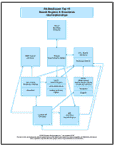
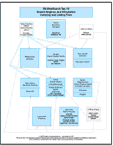
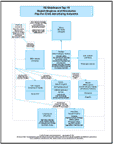
After years of extensive professional research, Precision
Arts has designed their own copyrighted visual Search Engines & Directories Charts. The Top 15 charts show clients how Internet
keyword searches can retrieve results from a variety of search
engines, directories, indexes, and advertising networks.
November
Search Engine News From
www.searchengine-news.com Google - became an even more important search service this month due to the fact that Yahoo is getting almost all of its default search results directly from Google. This means that, with few exceptions, if you are listed at the top of Google, then you are also at the top of Yahoo.
Overture - offers the opportunity to get your site listed at the top of the engines in as little as three to five days. Although this presents a huge advantage to saavy direct marketers, there are pitfalls that you should definitely avoid. Be prepared for the bids to rachet higher once people discover they are no longer scoring well at Yahoo! And, since Overture furnishes the Sponsor Matches displayed at the top of Yahoo searches, we suspect there'll be another rush to Overture once advertisers learn their traffic from Yahoo has dropped off.
Inktomi - announced on October 8th they'll drop 85 positions by the end of the year. They blame weakness in the Enterprise Search Market as cause for cutting back on their workforce. After the reductions Inktomi will employee approximately 300 people.
HotBot - The directory portion of HotBot is powered by the Open Source Directory (ODP). To submit your site to this directory, go to http://www.dmoz.org. Be sure to read the submission information found on the page at http://www.dmoz.org/add.html.
AltaVista - No relevant changes at AltaVista.
Lycos - No relevant changes this month.
ODP - No relevant changes this month.
LookSmart - Shareholders might argue that LookSmart made the right decision when they switched to a pay-per-click model. The company released their third quarter 2002 results on the 24th of October. It showed their revenue grew by 23%.
We wonder if their "success" might bode a warning to their customers. After all, double digit growth can create pressure to maintain the pace into the future. The question is, will they try to sustain it with additional price hikes like the surprise we had last spring?
Yahoo - becomes Yahoogle! Who knows why but Yahoo decided in October to bury its own directory listings and display Google's as the default search results. Frankly, this is BIG news — so big that it merits an entire article which we've prepared for you in this month's issue...
Whoa! ...Yahoo's been Google-ized So, what's the point of paying $299/yr for a directory listing?
Top 10 reasons to use Avant Browser - More info here - Download Here!
 1. Pop-up Stopper: Eliminate unwanted pop-up pages automatically.
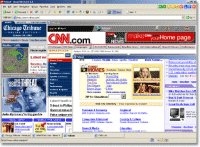
2. Additional Mouse Functions: Click a link in the web page with the middle mouse button, the link will be opened in a new window. Hold the right button then click the left button, the current page will navigate backward one step. Hold the left button then click the right button, the current page will navigate forward one step.
3. Browsing Options: Avant Browser provides options to block download of pictures, videos, sounds and ActiveX components. With these options users can efficiently use their bandwidth and speed up page loading.
4. Multi-Window Browsing: Browse multiple web pages simultaneously. All opened pages can be easily stopped, refreshed, closed or arranged with one click.
5. Built-in Google Search Engine: Avant Browser provides built-in search engine, which is powered by Google, the most powerful search engine in the world. Built-in search engine enables user to search for web pages and images in Internet.
6. Integrated Cleaner: Help you to keep your privacy and easily clear typed addresses, recently opened pages, web page passwords, cookies and temporary Internet files.
7. Safe Recovery: If Avant Browser is closed improperly, all open web pages are saved and will be automatically reopened at next startup.
8. Internet Explorer Compatibility: Avant Browser is compatible with all Internet Explorer functions, including Java Script, Cookies, Real player, Media Player, Internet Explorer Favorites, Macromedia Flash and ActiveX Controls.
9. Easy Using: Avant Browser comes with more shortcuts. It's much easier to close or create new browser window.
10. IT's FREE!!!
336-408-9075
Rich@RichsWebDesign.com
|